
1. Student Record Management
This is one of the top 10 features of School Management Software
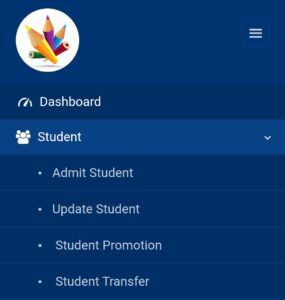
Under this module of student data management, we have 4 options.
Admit Student:
In the first option, you can add student details such as student name, father’s name, mother’s name, and other required information.
Update Student:
In the second option, if you need to make any corrections related to student details or update information, you can easily do so.
Student Promotion:
Under the promotion section, if you want to promote a child from one class to another, you can use this option.
Student Transfer:
If any student wants a TC, you can easily generate it by entering the relevant information. Then you can download the PDF, print it, and stamp it.
2. Employee Record Management
In the Employee Management module, we have 4 options to manage employees.
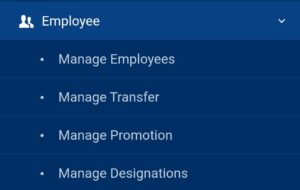
Employees Record Management :
In this option, you enter the basic details of employees for record management purposes.
Manage Transfer:
If any employee wants a transfer certificate, you can easily generate it.
Promotions of Employees :
If you want to promote a teacher from the post of TGT English to PGT English, you can promote or update the profile through this option.
Manage Designations:
In this option, you can manage how many employees are working under each designation.
For example, suppose 2 TGT English teachers are working in your school. You can add that information here.
3. Academic Module
Under this module, we have 6 sections.
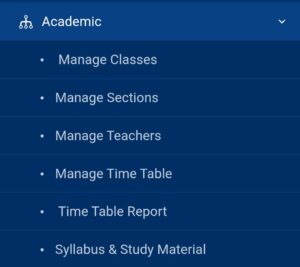
Classes Management :
Here, you can manage how many classes you have in your school and organize them accordingly.
Manage Sections:
Under this option, you can manage how many sections each class has along with class teacher and co-class teacher records. For 11th and 12th classes, you can also add compulsory subjects.
Manage Teachers:
Teacher records can be managed easily with their designation, the classes they teach, and the subjects assigned to them.
Manage Time-Table:
Here, you can create and manage the timetable easily for your school, class-wise as well as section-wise.
Time-Table Report:
You can easily find day-wise as well as teacher-wise timetable reports for your school.
Syllabus and Study Material:
Class-wise syllabus and study material can be managed by the respective subject teacher.
4. Fee Management System
We have 5 sub-modules under the fee management system.
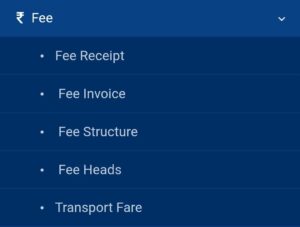
Fee Receipt:
A fee receipt can be generated by selecting the student’s name, class, and other details. A soft copy is generated instantly.
Fee Invoice:
You can easily generate fee invoices for the school so that data can be analyzed accordingly. For example, you can check how much fee was paid in April 2026.
Fee Structure:
Fee structures such as tuition fee, admission fee, computer fee, etc., can be set. You can structure the fees either class-wise or student-wise.
Fee Heads:
Fee heads such as admission fee and tuition fee can be added or removed accordingly. You can also set periodicity, such as admission fee being a one-time fee while tuition fee is a monthly fee.
Transport Fare:
Here, you can add the distance of a student’s residence from the school in kilometers and set the fare accordingly.
For example, a student coming from 15 km may be charged ₹2000, while a student coming from 5 km may be charged ₹500. The fare varies accordingly.
5. I-Card Generation Software
Under the I-Card generation software, we have 2 modules.
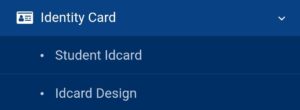
Student I-Card:
Student I-Card details can be generated from the student record management module.
I-Card Design:
You can design your I-Card according to your customization preferences.
6. Report Card Generation Software
Under Report Card Module MySmartSchool Provides 5 Sub-modules
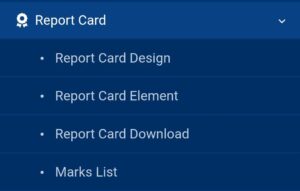
Report Card Design:
In this section you can design different types of report card for your school like you have different structure for Periodic test 1 as compared to Annual Exams final reports . Also MySmartSchool provides fully customizable report-Card generation as per School needs .
Report Card Element :
In this you can add or remove any element that you donot want in a report card . this module make report card more efficient and effective .
Report Card Download :
Here you can download the report Card of any student in easy and fast way .
Marks List :
Under this module you can group student marks , analysis School Data .Either Class-wise or Section-wise to get an aggregate report .
7. Transport Module
This module contain 5 Sub-module
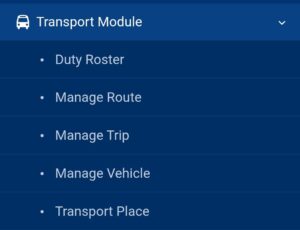
Duty Roaster :
In this module you can assign duty to drivers to a bus and proper record management .
Route Management :
Under this module you can manage all the routes of your school at one place .
Trip Manage :
You can manage all trips with places , start and end time with kms .
Manage Vehicle :
Here you can manage all your vehicles under one module with their insurance validity ,Pollution validity , Fitness validity , status etc
Transport Place :
Here you can manage all the places where school bus used to go with their kilometers mentioned in it .
8. Messages Module
There are 5 sub-modules under the Messages section.
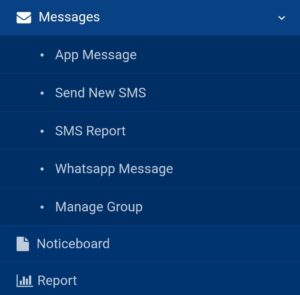
App Messages:
Here, you can send messages through the MySmartSchool app. You can select the recipients and schedule when the message should be sent.
SMS Messages:
In this sub-module, there are built-in SMS templates that you can send to students. You can also customize SMS and send them to students via the MySmartSchool app.
SMS Report:
Under this option, you can check the report of how many messages you have sent and when they were sent over the next 30 days and beyond.
WhatsApp Message:
You can send messages to students via WhatsApp as well.
Manage Groups:
Here, you can create groups and send specific messages to selected groups.
Noticeboard:
You can add a new notice daily, which will be displayed on the dashboard of the MySmartSchool app.
Report Generation:
You can easily generate reports of the messages sent through the above options.
9. Enquiry Management
Under this module, there are 2 sub-modules.
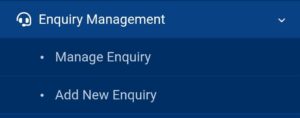
Manage Enquiry:
You can manage all admission-related enquiries in one place.
Add Enquiry:
In this option, you can directly add new admission-related enquiries.
10. Exam Module
This module has 3 sub-modules.
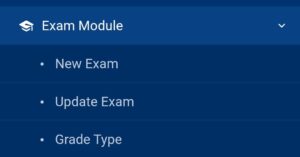
Exam Type:
Here, you can manage different exam types in one place.
Update Exam:
You can update any exam type if you want to add or remove details.
Grade:
You can manage and define grading structures for examinations.
Conclusion
In 2026, a complete top 10 features of school management software must include student management, employee management, academic modules, fee management, ID card generation, messaging systems, enquiry management, exam modules and report card generation .
These all features are provided by best School ERP Software : MySmartSchool
Book a free Demo now and Buy Now
Before selecting any ERP system, schools should carefully ensure that all these essential modules are available.
A well-equipped School ERP software supports smooth administration and allows schools to focus more on delivering quality education.
For More info : Best School Management Software for CBSE Schools in 2026
Also Explore : 10 Benefits of School Management Software for Modern Schools