
Report card management systems are small software made in order to solve complex, hard, ongoing report card generation work into easy-to-do tasks for teachers, school & coaching center owners, and many more.
One of the most time-consuming and complex works in schools, institutions, etc. is report card generation.
In order to generate thousands of report cards in a day, schools want a fixed system or mechanism known as a report card management system.
A lot of school ERP software provides a whole pack of small software, like fee management systems, report card generation software, and I-card making software. Either one can buy a subscription for the whole pack provided by MySmartSchool at an affordable rate of Rs 5 per student per month. OR just buy an individual module as per calculated pricing.
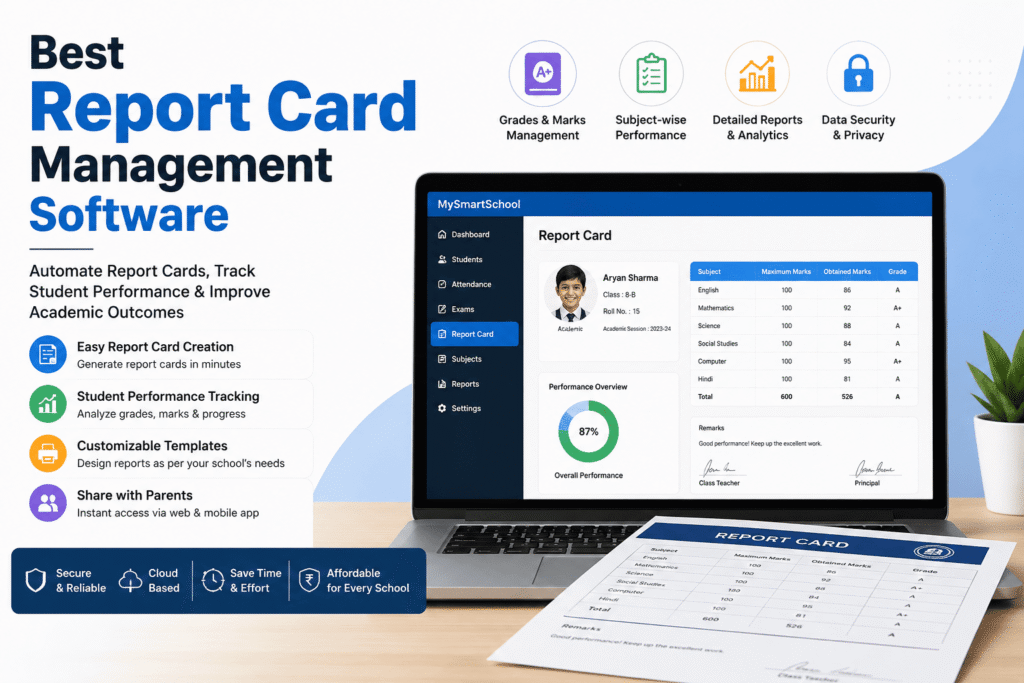
What Is a Report Card Management System?
Let’s start with the basics.
A report card management system is software that handles everything involved in creating, managing, and delivering student report cards digitally.
Instead of your teachers manually entering marks into Excel sheets, your office staff formatting Word templates one by one, and someone spending three days printing and sorting 800 report cards before results day—the system does all of that in one place, in a fraction of the time.
Class teachers have to add marks of students subject-wise in columns, just like Google Forms.
and report—A card of a student is ready in a fraction of time.
Think of it as replacing your entire results-day chaos with a clean, organized workflow. Marks go in. Report cards come out. Parents get notified.
Now, here is something worth clarifying — a report card management system is not the same as a full school ERP.
A school ERP covers everything from admissions to fees to payroll. A report card management system focuses specifically on academic performance records and report generation.
Some schools run a full ERP that includes this as a module, as mentioned above by MySmartSchool.
While other small schools have 80 to 100 students, use a standalone report card tool without needing the full ERP package.
Both approaches work, depending on your school’s size, budget, workload, and time required.
Get free trial for the report card management system.
How Does a Report Card Management System Work?
The best way to understand it is to walk through what actually happens — from the moment exams end to the moment a parent opens their child’s report card on their phone.
Below are the steps provided for a school having around 800 students, and we have to make report cards for them.
Here is the full process, step by step.
Step 1—Set up your exam structure
Firstly, the admin or the school ERP system provider has to set up the exam structure for their schools. In an easy way, it says how many columns and rows to make. How many exams take place class-wise in the whole year or half-yearly?
You do this once at the start of the academic year, and it stays in place for every class and section. Also, you can customize your school’s report cards via MySmartSchool.
For CBSE schools, this also includes setting up scholastic and co-scholastic areas. For NEP-aligned schools, it means configuring competency indicators instead of marks. The system adapts to your board’s format — not the other way around.
Step 2 — Teachers enter marks
Once the setup is done, subject teachers log in and enter marks for their respective classes and subjects.
Most modern systems let teachers do this from their phone — no need to sit at a desktop.
While some schools use bulk Excel import if teachers are more comfortable with spreadsheets. Either way, the data flows into the same central system.
The key difference from the old way is that each teacher only sees their own subject and classes. And no one can accidentally overwrite someone else’s data.
This also helps in maintaining transparency of marks between teachers, and no other teacher can change marks of their favorite student by their own.
Step 3—The system calculates everything automatically
The moment marks are entered, the system automatically calculates totals, percentages, grades, class rank, and subject-wise performance based on the grading scale you configured in Step 1.
No formulas.
manual cross-checking is not required at all.
No calculator is left running on someone’s desk at midnight before results day.
If a student is absent for one exam or has a medical exemption, the system handles those exceptions too—without breaking every other calculation around it.
Step 4 — Class teachers add remarks
Once marks are finalized, class teachers log in to add their remarks—either free-form comments or selections from a pre-set remark bank.
Attendance summary, behavior notes, and activity grades are pulled in automatically from other modules if your system is integrated with the broader school ERP.
This step takes minutes per class, not the whole afternoon.
Step 5 — Admin reviews and approves
Before any report card reaches a parent, the admin or principal goes through an approval workflow. This is the safety net — a chance to catch wrong entries, missing remarks, or formatting issues before they become an embarrassing mistake in front of 800 families.
Some systems allow section-wise approval so the principal can clear one class at a time rather than waiting for the entire school to be ready.
Step 6 — Report cards are generated in bulk
Once approved, the system generates all report cards simultaneously as professionally formatted PDFs — complete with your school’s logo, letterhead, digital signature, and seal. A school with 800 students can have all report cards ready in under five minutes.
Each report card automatically matches the correct board format—CBSE, ICSE, State Board, or your own custom template provided to the School ERP provider as below.
Step 7—Parents receive report cards instantly
The final step is delivery. Parents get notified through the school’s parent app, WhatsApp, email, or SMS—depending on what your school uses. They open the notification, tap the link, and their child’s report card is right there on their phone.
This will be helpful in saving a lot of time.
Physical copies are not required, as parents can access them via soft copy.
A parent called the office three days later asking for a duplicate.
For schools that still prefer physical copies, the bulk-print option generates print-ready files sorted class-wise and section-wise—ready to hand out the same morning.
That is the entire workflow — from exam setup to parent delivery — handled by one system, without the usual results-day panic.
Book free demo now and make your report cards instantly.
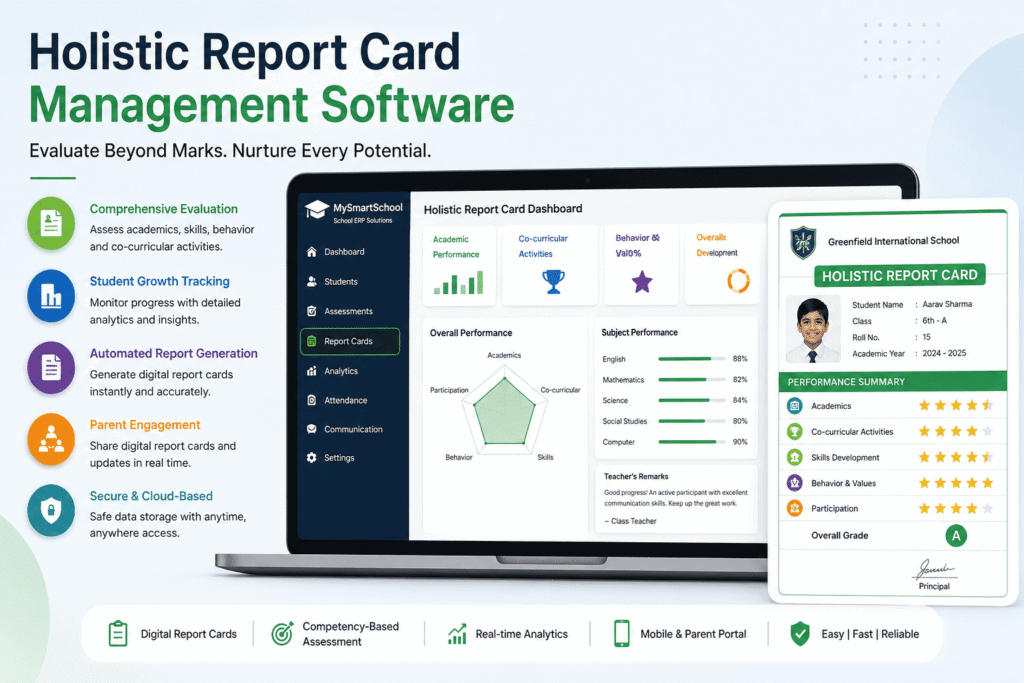
Key Features to Look For in a Report Card Management System
Some look impressive in a demo but fall apart the moment you try to customize a report card format or handle a midterm section change.
Below are some worth paying features to look for when searching for a report card generation software in India.
Custom report card templates
This is non-negotiable for Indian schools. Your board has a specific format. Your school has its own branding.
The software needs to support both without you having to call the vendor every time you need a column added or a logo repositioned, which is sincerely provided by MySmartSchool.
Look for a system where your admin team can edit templates directly, without needing technical support.
Board-specific format support
CBSE, ICSE, State Board, and NEP 2020 Holistic Progress Card formats are all genuinely different from each other. A system that supports one does not automatically support all. Before buying anything, test it with your actual board’s report card format using real sample data.
NEP 2020 specifically introduced competency-based holistic progress cards for foundational and preparatory stages—replacing marks with developmental indicators. If your school follows this, verify that the software has already built this in, not that it is “on the roadmap.”
Bulk marks entry and Excel import
Teachers are busy. A system that forces them to enter marks one student at a time on a slow interface will be abandoned within a week. Look for software that allows bulk entry — either through a fast grid-style input screen or by importing a pre-filled Excel sheet.
Both options should be available. Some teachers prefer digital entry. Others are more comfortable filling an Excel template. A good system supports both without making either feel like extra work.
Multi-term and cumulative reports
Most schools have two or three terms in a year.
The system should handle each term’s report card separately and also generate a cumulative year-end report that combines all terms automatically.
Switching between term-wise and cumulative views should take seconds — not require a separate process.
Bulk PDF generation with school branding
Generating report cards one at a time is not acceptable for a school with 500 students.
The system should generate all report cards simultaneously as print-ready, professionally formatted PDFs — with your school logo, letterhead, principal’s digital signature, and school seal already embedded.
MySmartSchool provides a 1-click print option for the whole class handled by the respective class teacher.
Historical record access
A student’s report cards from previous years should be accessible instantly for transfer certificates, re-admissions, scholarship applications, or parent queries.
The system should store every report card generated, permanently and securely, with no manual archiving required on your end.
Role-based access control
Under this section
Teachers should only see the classes and subjects they teach.
Class teachers should see their full section.
Admins should see everything. Parents should only see their own child’s data.
Best provided by one of the top-notch School ERP software: MySmartSchool
Take a free trial. for more information regarding report card management systems
Top 5 Report Card Management Software in India (2026)
1. MySmartSchool
An affordable cloud-based school ERP with automated report card generation, exam management, student records, and parent communication features and 50+ modules.
2. Entab CampusCare
Popular among Indian schools for managing examinations, report cards, attendance, and academic performance efficiently.
3. Fedena
A well-known school ERP software that offers customizable report cards, grading systems, and student performance tracking.
4. Vidyalaya School ERP
Provides digital report card management, exam scheduling, result analysis, and communication tools for schools.
5. eSchool ERP
Helps schools automate report cards, examination management, student data handling, and academic reporting through cloud-based technology.
FAQ’s Related to Report Card Management Software
1. What is report card management software?
Report card management software helps schools create, manage, and generate student report cards digitally.
2. Can schools customize report card formats?
Yes, most software (MySmartSchool) allows schools to customize report card designs and grading patterns.
3. Does the software support CBSE report card formats?
Yes, many report card management systems support CBSE and other board formats.
4. Can parents view report cards online?
Yes, parents can access report cards through mobile apps or parent portals.
5. Can schools store old report cards digitally?
Yes, schools can securely store and access previous report cards anytime.
6. Does the software reduce manual errors?
Yes, automation helps schools reduce calculation and data entry mistakes.
7. Is cloud-based report card software secure?
Yes, cloud-based systems use secure servers and data protection features to keep records safe.
Conclusion
Report card management software helps schools automate result preparation, reduce manual errors, and save valuable time for teachers and administrators.
Schools can also improve communication with parents by providing quick access to student performance and examination reports.
Overall, it creates a faster, smarter, and more organized examination management system for schools.
Don’t Miss: Online Fees Management System For Schools
Also See: Best Student Record Management Software In India In 2026